Struggling with software errors? Get expert help—fast, secure, and available 24/7.




Struggling with software errors? Get expert help—fast, secure, and available 24/7.
Published: 28 April, 2025 | Updated: 8 April, 2026

Author
ECE2025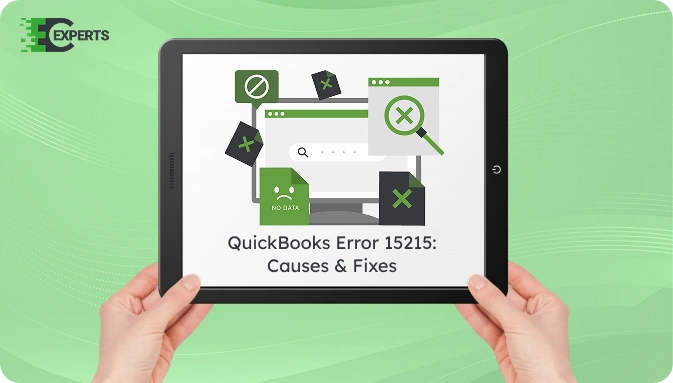
QuickBooks Error 15215 is a payroll update error in QuickBooks Desktop that displays the message Unable to verify the digital signature for the file. It is caused by TLS misconfiguration in Internet Explorer, firewall blocks, or conflicting background programs, and can be resolved by adjusting TLS 1.2 settings, running QuickBooks as Administrator, or using QuickBooks Tool Hub.
This article explains what causes Error 15215, how to identify it, and provides actionable steps to fix it. You’ll also find expert-backed suggestions for preventing it and how to get help if troubleshooting fails.
Watch this quick video to learn the causes and solutions for QuickBooks Error Code 15215 – Unable to Verify Digital Signature.
QuickBooks Error 15215 is a payroll update error that stops users from downloading updates successfully. It occurs when QuickBooks fails to verify the digital signature of a file needed for the update. This results in a message stating: “Unable to verify the digital signature for the file.”
It often interrupts the automatic update process in the middle or right before the download completes.
QuickBooks Error 15215 is caused by five primary factors:
You can identify the error by the following signs:
You May Also Read: Fix QuickBooks Error 15214
You can fix Error 15215 using several proven methods. Start with basic steps and proceed to advanced ones if the issue persists.
Sometimes, a simple reboot terminates conflicting background programs.
Running QuickBooks Desktop 2021, 2022, 2023, or 2024 with administrative rights allows it to override permission conflicts from other software. This method applies to all QuickBooks Desktop Pro, Premier, and Enterprise editions.
Incorrect TLS settings can cause digital signature issues.
This step prevents third-party programs from interfering.
To revert back:
Firewall may block QuickBooks update connection.
You May Also Read: Fix QuickBooks Error 15217
Preventive measures include:
If the error continues, the cause may be deeper, such as corrupted program files or Windows registry issues. Advanced technical diagnosis might be required to prevent data loss or interruption in payroll services.
If registry corruption is suspected, back up the registry before any changes: press Windows + R, type regedit, go to File > Export, and save a full backup. Navigate to HKEY_LOCAL_MACHINE\SOFTWARE\Intuit\QuickBooks and verify the installation path values match your actual QB installation directory. Do not edit registry keys unless you are comfortable with advanced Windows administration — incorrect changes can cause system instability.
Yes. You can use QuickBooks Tool Hub. It includes the QuickBooks Install Diagnostic Tool and Quick Fix My Program tool that resolve update and installation-related issues.
No. Error 15215 is specific to QuickBooks Desktop and its local payroll update process. QuickBooks Online uses a cloud-based update system and does not encounter this error.
Yes. Antivirus programs such as Norton, McAfee, and Windows Defender can block the digital signature verification process. Temporarily disable real-time protection during the payroll update, then re-enable it immediately after.
If none of the methods worked, contact the specialists at ErrorCodeExperts. Our certified QuickBooks professionals provide one-on-one assistance to resolve error 15215 efficiently.


Author
ECE2025We are a team of certified IT and financial systems specialists with over 10 years of experience in fixing accounting software issues. We specialize in system integration, data migration, and diagnostics - making it easier for accountants and business owners to resolve complex errors. When not solving technical problems, our team enjoys refining internal tools and sharing practical fixes with the wider accounting community.